
Legal
Yes. GDS Technology supports Norcross legal practices through office moves, new-suite buildouts, and structured cabling - from 1 new conference room to a complete office infrastructure plan. We coordinate technology decisions around attorney-client privilege, dependable communications, secure document access, and a practical handoff that lets your firm keep serving clients.
Can GDS Technology manage technology for a law-office move or new suite buildout?
Yes. A legal office move is not simply a matter of relocating computers. Your firm needs a coordinated plan for internet service, network equipment, wireless coverage, workstations, VoIP phones, printers, conference rooms, security systems, and the applications attorneys depend on to manage matters.
GDS Technology can help turn the technology portion of a Norcross office relocation or suite buildout into a defined workstream. That means identifying what must be ready before move day, what can be installed during construction, and what requires testing before attorneys and staff arrive.
For firms in Norcross, Peachtree Corners, Duluth, and along the I-85 business corridor, a well-run project also accounts for building access, provider installation windows, riser pathways, landlord coordination, and the physical route between the telecom room and the new suite.
A growing practice may be adding attorneys, support staff, mediation space, client-facing meeting rooms, or hybrid-work capacity at the same time it changes locations. Planning those needs together avoids treating the new office as a copy of an old setup that has already been outgrown.
GDS Technology approaches the work as a Technology Partner: build the physical and digital foundation around how the firm operates, then support it after occupancy rather than disappearing after the install.
Takeaway: A legal office move succeeds when construction, connectivity, security, and day-one workflows are planned as one business transition.
What should be included in structured cabling for a growing legal practice?
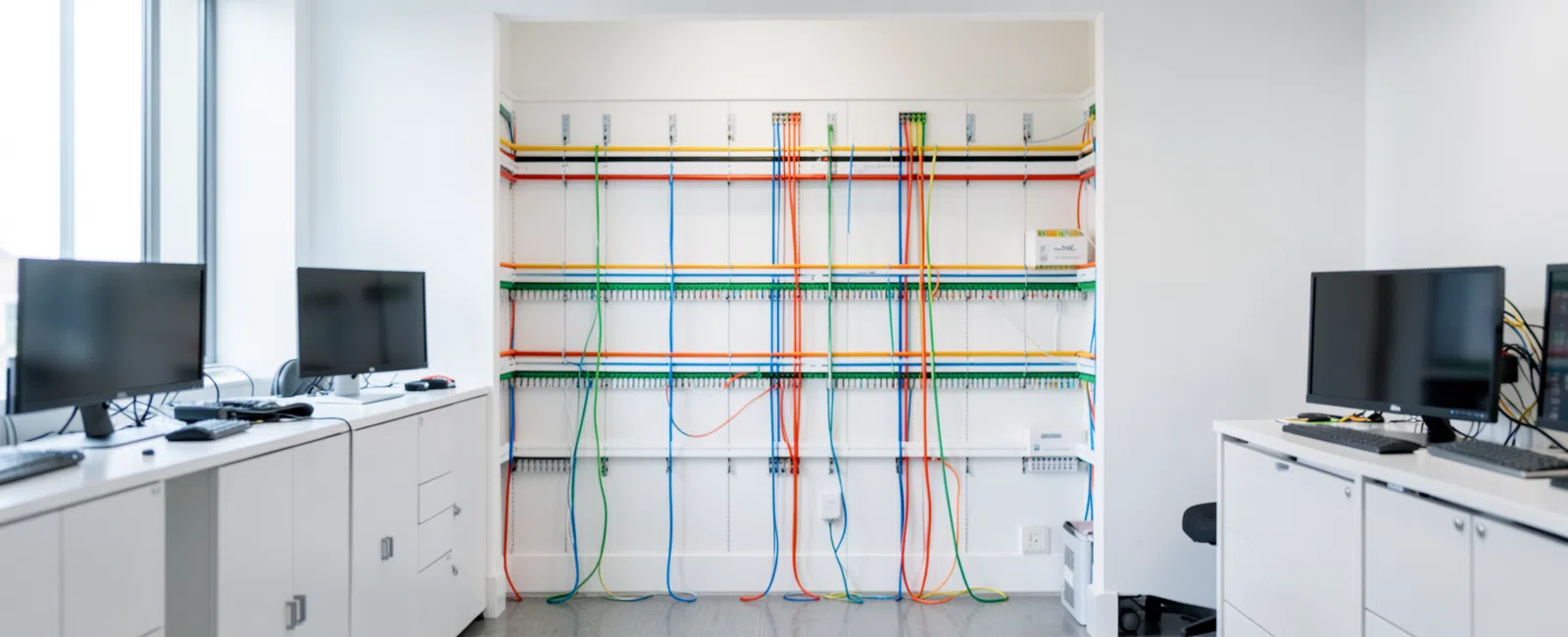
Structured cabling is the permanent communications foundation behind your office. It connects work areas, wireless access points, phones, conference-room equipment, printers, cameras, access-control devices, and network closets through an organized, documented cabling system.
For a law firm, the cabling plan should begin with the way people use each room. Attorney offices may need reliable wired connections and phone service. Conference rooms may need displays, cameras, microphones, wireless coverage, and dedicated connections for secure client meetings or remote depositions.
Reception, file areas, paralegal workstations, copy rooms, and secure equipment locations need their own requirements. Leaving those decisions until furniture is in place can result in extension cords, exposed patch cables, weak Wi-Fi, or a costly second construction visit.
A practical buildout review typically addresses:
- Network closet location, ventilation, power, rack space, and controlled access
- Data drops at attorney, staff, reception, and shared-workstation locations
- Ceiling and wall locations for wireless access points, cameras, and low-voltage devices
- Conference-room connectivity for video meetings, displays, and presentation equipment
- Pathways from the building demarcation point or riser to the suite
- Cable labeling, testing, documentation, and a clean handoff for future troubleshooting
Wireless performance depends on more than the wireless equipment itself. GDS Technology’s office Wi-Fi deployment guidance explains why access-point placement and cabling capable of delivering the required power matter at handoff.
When physical security is part of the buildout, the same low-voltage planning can account for camera and access-control locations. This reduces the risk that security requirements become an expensive afterthought once walls and ceilings are finished.
Takeaway: Install and document the cabling your firm will need at full capacity, not only the cables required for opening week.
How do you protect privileged information during an office move?
A move creates security exposure because devices, paper records, network equipment, passwords, and temporary workarounds are all in motion. Legal practices should preserve attorney-client privilege and work product by assigning ownership, controlling access, and avoiding unmanaged shortcuts.
Technology planning should identify which systems require uninterrupted access: document management, practice management, time and billing, docketing, email, secure client portals, scanning, e-discovery repositories, and remote access. Each system should have an approved move-day and fallback procedure.
GDS Technology can align the buildout with the firm’s broader cybersecurity services, including protections for phishing, ransomware, endpoint access, and cloud accounts. The goal is not to add unnecessary friction for attorneys; it is to make secure work the normal path whether they are in the office, at court, or working remotely.
Georgia attorneys have professional duties relating to confidentiality and technology competence. A firm’s final configuration should support matter-centric access, appropriate sharing controls, managed devices, secure Wi-Fi, and a reliable process for terminating access when personnel or circumstances change.
Backup planning belongs in the move conversation as well. Before relocating a server, reconfiguring a network, or changing an internet connection, confirm that recoverable copies of important business data exist and that the firm knows who can restore access if a change does not go as expected. Explore GDS Technology’s data backup and recovery services for that continuity layer.
Takeaway: A secure move protects legal data before, during, and after the physical transition - not only after a problem occurs.
How should a Norcross law firm plan the project and avoid move-day disruption?
Start with a discovery meeting before leasehold improvements are finalized. The technology plan should be reviewed alongside floor plans, furniture layouts, electrical plans, ceiling plans, security requirements, and the building’s rules for riser access and provider work.
Then document a phased timeline. Internet circuits and building approvals can have lead times, while cabling and equipment installation need to occur before final testing. A sequencing plan helps prevent a finished office from waiting on connectivity, ports, or access to the telecom room.
Before occupancy, test each critical function in the new suite: wired and wireless connectivity, attorney workstations, printing, phone calling, conference-room equipment, remote access, scanning, document workflows, and any access-control or camera systems included in scope.
Move-day readiness also needs a communication plan. Staff should know where to sit, how to connect, what equipment is moving, how to obtain support, and what to do if a core application or phone extension does not work as expected. Clear ownership matters more than vague assurances.
A commercial real estate client, Ashlee, described the benefit of accountable support this way: “GDS Technology answers every question we throw at them and actually follows through to solve it. You get real answers, not deflection - and the problem gets fixed, not just talked about.” That same ownership mindset is valuable when multiple parties affect a suite buildout.
For related office-buildout guidance, see what an Atlanta law firm should ask an MSP about on-site support and office buildouts, how to compare IT support companies in Norcross, GA, managed IT services for CRE businesses in Atlanta, GA, managed IT services for CRE businesses in Norcross, GA, managed IT services for CRE businesses in Carmel, IN, managed IT services for co-working businesses in Atlanta, GA, and supporting multi-state properties from a Norcross headquarters.
GDS Technology also supports businesses throughout the area from its Norcross location; see the Norcross IT support page for local service context.
Typical comprehensive Technology Partner relationships range from $200 - $300 per user/month; scope varies based on cybersecurity, compliance, infrastructure, locations, and business requirements.
Takeaway: The best way to protect billable time is to test the complete working environment before the firm’s first day in the new suite.
What happens after the cabling and move are complete?
Opening the new office is a milestone, not the end of the technology responsibility. After handoff, the firm needs support for user onboarding, endpoint management, patching, changes to phone and conference-room systems, wireless tuning, equipment documentation, and future office growth.
GDS Technology can continue as the firm’s Technology Partner through managed IT services, helping the office operate reliably after construction crews and movers have left. This is especially useful when a growing practice adds lawyers, changes suites, opens a satellite location, or brings more work into a hybrid model.
A post-move review should confirm that the cabling map, network inventory, device assignments, service-provider information, and recovery procedures match the office as built. That documentation makes future repairs, expansions, and vendor coordination faster and less disruptive.
The right long-term partner keeps an eye on the business impact: whether attorneys can reach matter information, whether client meetings work without technical interruptions, whether communications remain dependable, and whether the firm can recover from a cyber incident or facility disruption.
Takeaway: A properly completed buildout leaves your firm with supportable infrastructure, documented decisions, and a clear path to grow.
Frequently Asked Questions
Can you coordinate with our landlord, general contractor, and internet provider?
Yes. GDS Technology can participate in the technology coordination needed for a Norcross law-office move or suite buildout, including provider timing, building access, riser pathways, network-closet needs, cabling requirements, and handoff testing. Clear responsibilities help prevent gaps between construction work and operational technology readiness.
Can you support VoIP phones, conference rooms, and secure Wi-Fi in the new office?
Yes. A legal-office buildout can include planning for VoIP phones, conference-room connectivity, secure wireless coverage, wired network connections, printers, and related low-voltage requirements. The design should reflect attorney offices, reception, client meeting areas, hybrid work, and the firm’s need for dependable communications and protected access.
Do we need new structured cabling if we are moving into an existing suite?
Not always, but existing cabling should be assessed before relying on it. A review can identify labeling gaps, damaged runs, insufficient locations, outdated pathways, weak wireless support, and capacity limits. The right decision depends on the suite’s condition, your floor plan, growth expectations, and the systems your legal practice uses.
How can we reduce downtime during a legal office move?
Reduce downtime by documenting critical systems, ordering connectivity early, sequencing cabling and equipment installation before occupancy, backing up important data, assigning move-day responsibilities, and testing phones, applications, Wi-Fi, printing, remote access, and conference rooms before staff arrive. A written fallback process protects client service if an issue emerges.


