
CRE
Choose an IT provider that can account for the building's complete technology estate, including networks, risers, carrier handoffs, access control, cameras, and connected building systems. Require clear ownership maps, practical escalation procedures, lifecycle planning, and support that protects tenant operations instead of treating each issue as an isolated ticket.
What should a commercial real estate IT provider understand about the building?
A CRE property is not a conventional office with laptops and Wi-Fi. It is a multi-tenant environment with landlord systems, tenant systems, carrier equipment, low-voltage infrastructure, physical security devices, and vendors who may each control part of the picture.
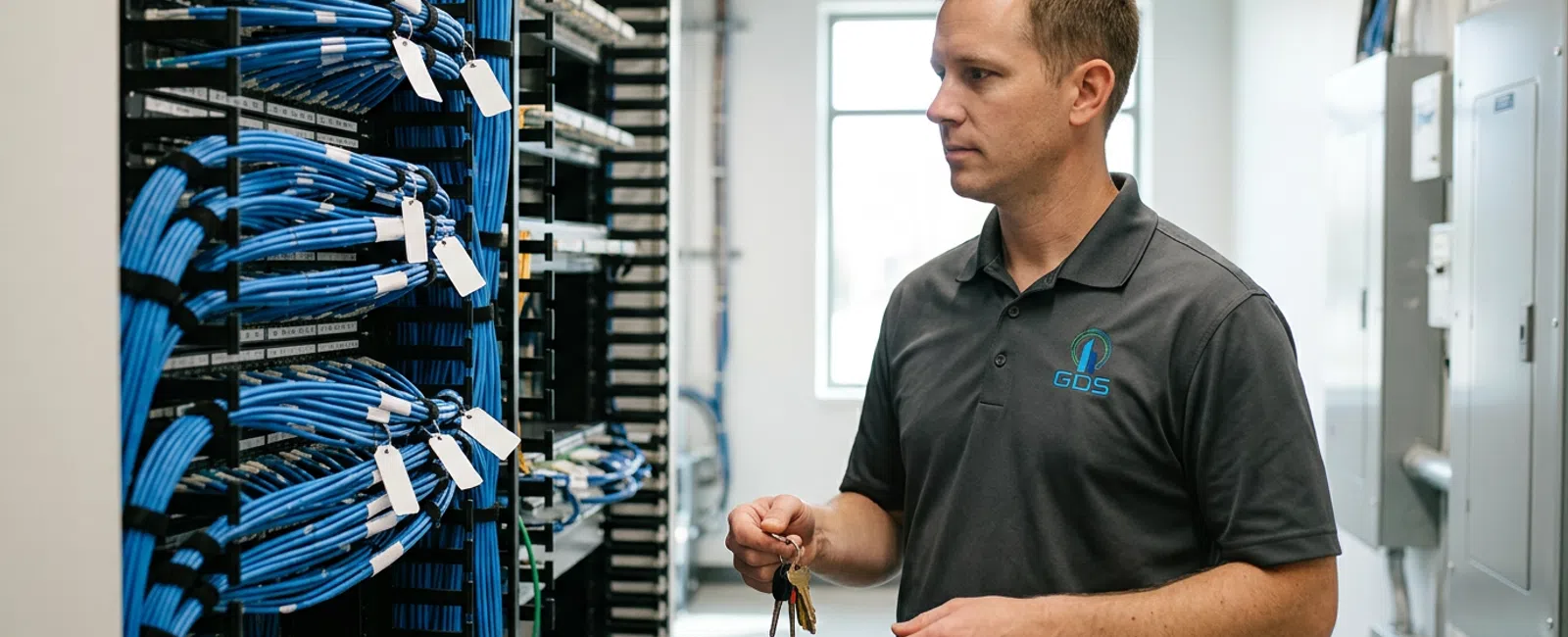
The provider should be able to walk an MDF, IDF, riser, loading dock, leasing office, and amenity space with the property team. They should ask what is connected, who owns it, how it is supported, and what happens when a switch, controller, carrier circuit, or power source fails.
Look for a provider that distinguishes the landlord network from tenant networks and identifies shared dependencies. An access-control panel, camera switch, BMS gateway, and carrier handoff may share a closet, but they do not necessarily share the same owner, support contract, or risk profile.
That distinction matters during tenant improvements, outages, acquisitions, and vendor changes. If nobody owns the diagram, the diagram is probably wrong.
Takeaway: Choose a provider that sees building technology as infrastructure with dependencies, not simply as user support.
How do you test whether a provider can manage vendor and carrier coordination?
Ask the provider to explain how they would handle a tenant connectivity issue that crosses the demarcation point. A useful answer identifies the carrier, landlord, tenant, cabling contractor, network owner, and escalation path before anyone starts moving cables or rebooting equipment.
Carrier coordination and riser management are operational disciplines. The right provider should document circuits, handoff locations, access requirements, available pathways, and the responsible party for each stage of work. This reduces the familiar situation where several vendors are present but nobody can authorize the next step.
Ask for a sample discovery process. It should include an inventory of MDF and IDF equipment, network diagrams, cabinet and patch-panel labeling, carrier records, access-control and camera dependencies, remote-access pathways, and known end-of-life equipment.
For a local example of the governance questions that matter around the Meridian Street corridor and suburban office properties, review this Carmel riser management and infrastructure governance resource.
Takeaway: A provider should make responsibility visible before an outage or construction project forces the issue.
What cybersecurity questions matter for a CRE technology provider?
Start with connected systems, not fear-based checklists. Ask which devices have network access, which vendors can connect remotely, where credentials are managed, and whether access is removed when work is complete. Building systems often have longer lifecycles than standard office devices, which makes documentation and access review especially important.
A capable provider should help identify the difference between ordinary business IT and systems that affect building operations. Cameras, access control, BMS gateways, visitor systems, intercoms, and management dashboards may require different owners, maintenance windows, and escalation contacts.
Vendor access deserves specific attention. Temporary credentials and badges can outlast the work that required them. GDS Technology's Built, Wired & Secured podcast covers practical controls in its episode on vendor access lifecycle for building systems.
Ask how the provider will document remote access, review administrative accounts, segment appropriate systems, and coordinate incident response without disrupting building operations. No provider can promise complete security, but a documented operating model can reduce avoidable exposure and confusion.
Takeaway: Building cybersecurity begins with knowing what is connected, who can reach it, and who is accountable for it.
How should a Carmel CRE business compare IT proposals and budgets?
Compare scope before comparing totals. A lower quote may omit network documentation, after-hours escalation procedures, project coordination, security monitoring, backup oversight, lifecycle reporting, onsite discovery, or support for physical infrastructure. Those omissions can reappear later as change orders, delays, and property-team coordination work.
In the Indianapolis, IN market, fully managed IT ranges from $110 - $275 per user/month for full-service coverage. The scope behind that range matters. Lower figures may reflect leaner coverage, while broader service can include more proactive management and operational responsibility.
In the Indianapolis, IN market, fully managed IT ranges from $110 - $275 per user/month for full-service coverage.
Per-user pricing also deserves scrutiny in properties with many more devices than office users. A proposal should explain how it treats network switches, wireless access points, camera systems, access-control equipment, closets, carrier coordination, and common-area technology. Do not assume those items are included because a proposal uses the phrase "managed IT."
| Proposal question | Useful answer | Warning sign |
|---|---|---|
| What systems are included? | A written inventory separates user devices, shared infrastructure, tenant systems, and building systems. | "Everything IT" without an asset list or boundaries. |
| Who owns escalation? | Named responsibilities for the provider, property team, carrier, tenant, and specialty vendor. | The property team is expected to coordinate every vendor. |
| How are projects priced? | Project assumptions, exclusions, approvals, and documentation deliverables are stated. | Only an hourly estimate with no defined outcome. |
| How is lifecycle handled? | Inventory condition informs a capital plan and replacement priorities. | Equipment is addressed only after failure. |
Nationally, co-managed IT planning ranges run $60 - $160 per user/month when an internal IT team retains defined responsibilities. Nationally, senior IT engineer or consultant planning ranges run $175 - $350 per hour for senior infrastructure, cloud, or security engineering. These are planning ranges, not GDS Technology prices.
Takeaway: A comparable proposal defines the systems, responsibilities, documentation, and work that the monthly figure actually covers.
What evidence should you request before choosing a provider?
Request evidence that reveals how the provider communicates and solves problems, not only a list of technologies. Ask how discoveries are documented, how issues are explained to nontechnical stakeholders, how escalations are tracked, and what deliverables remain with the property after a project or assessment.
Commercial real estate teams need explanations they can use with ownership, engineering, leasing, security, tenants, carriers, and contractors. The provider should be able to translate a closet condition or network dependency into operational risk, tenant impact, and capital-planning choices.
Therese, a commercial real estate professional, described the value of that approach: "Brian clearly explains what is happening and shows you ways to help prevent the issue from happening again. He is great to work with."
Ask who will be responsible for the account, how onsite and remote support are coordinated under the service agreement, and how the provider will keep the inventory, diagrams, and ownership records current. GDS Technology offers managed IT services, cybersecurity services, and riser management services for organizations evaluating these connected responsibilities.
Takeaway: Select a provider whose process leaves your property with clearer records and fewer unresolved handoffs.
Frequently Asked Questions
What should a Carmel commercial property manager ask an IT provider first?
Ask the provider how they will inventory and separate landlord, tenant, carrier, and vendor responsibilities. Then ask how they document MDFs, IDFs, risers, demarcation points, access-control systems, cameras, and remote access. The answer should identify a repeatable discovery process, named ownership, and a practical escalation path.
Why is riser management part of choosing an IT provider?
Riser management affects tenant turn-up, carrier access, maintenance work, and outage resolution. When pathways, circuits, handoffs, and access rules are undocumented, property teams often become the default coordinator. A provider that understands risers can help establish records and boundaries before a tenant, carrier, or contractor needs urgent access.
How can a CRE business compare managed IT quotes fairly?
Compare each quote against a written scope of systems, responsibilities, exclusions, project processes, and documentation deliverables. In the Indianapolis, IN market, fully managed IT ranges from $110 - $275 per user/month for full-service coverage. Confirm how each proposal treats shared building infrastructure, security devices, vendor coordination, and lifecycle planning.
What building systems should be included in an IT discovery?
An IT discovery should identify networks, switches, wireless equipment, carrier handoffs, MDF and IDF equipment, access control, cameras, BMS connections, intercoms, shared cabling, and remote-access methods. It should also distinguish systems owned by the landlord from those owned by tenants, carriers, and specialty vendors.


