
April 1st passes, and with it, the barrage of playful pranks and false news fades away.
Sadly, scammers remain active and undeterred.
Spring marks a peak season for cybercriminals—not because teams neglect vigilance, but because busy schedules and distractions create opportunities. This is when subtle, convincing scams weave into everyday tasks unnoticed.
Below are three threats currently targeting not the uninformed, but even the sharp, diligent employees focused on their work.
Consider this as you read: Would every member of my team take the time to identify each scam?
Scam #1: The Fake Toll or Parking Fee Alert
An employee receives a text message stating,
"You owe $6.99 for an unpaid toll. Pay within 12 hours to avoid penalties."
The message references legitimate toll systems like E-ZPass, SunPass, or FasTrak, tailored to the recipient's state. The small fee seems harmless, prompting a quick click and payment amidst a busy day.
But the payment link is fraudulent.
In 2024, the FBI logged over 60,000 complaints about fake toll payment texts, with a staggering 900% surge reported in early 2025. Researchers uncovered more than 60,000 deceptive domains mimicking state toll agencies—revealing how lucrative this scheme has become. Some victims were even from states without toll roads.
Why it succeeds: The minimal charge seems low risk, and most people have recently encountered tolls or city parking fees, making the alert believable.
Protection tip: Authentic toll agencies never demand immediate payment through text links. Train employees to access official sites or apps directly rather than responding to texts—even replying "STOP" can confirm an active number and invite more scams.
Convenience lures the victim; adherence to process defends the company.
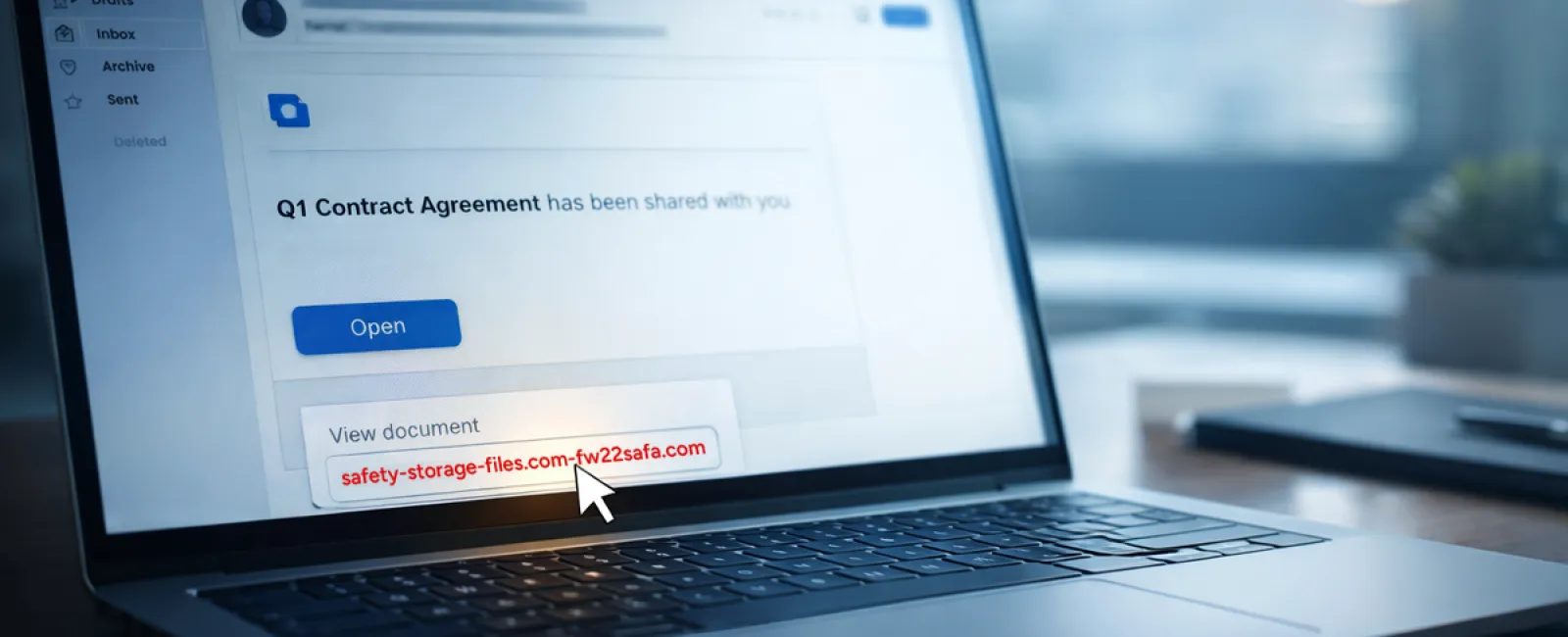
Scam #2: The "File Ready For You" Email
This scam integrates seamlessly with daily tasks.
An employee receives an email supposedly sharing a document—perhaps a DocuSign contract, a OneDrive spreadsheet, or a Google Drive file.
The sender's name appears authentic, and the notification mimics official formatting perfectly.
They click and are prompted to enter login credentials, unwittingly handing access to attackers who then breach the company's cloud environment.
Phishing campaigns exploiting trusted platforms like Google Drive, DocuSign, Microsoft, and Salesforce surged 67% in 2025, according to KnowBe4's Threat Labs. Phishing via Google Slides jumped over 200% within six months.
Notably, employees are seven times more likely to click malicious links from recognized sources like OneDrive or SharePoint versus unfamiliar emails because the alerts seem legitimate.
Attackers now often use compromised accounts to send real notifications, bypassing spam filters since the emails originate from genuine servers.
Protection tip: Train staff to avoid clicking unexpected file links. Instead, they should log in directly to the platform to verify file availability. Additionally, limit external sharing permissions and enable alerts for suspicious logins—configurable in minutes by your IT team.
Simple caution yields powerful protection.
Scam #3: The Impeccably Written Phishing Email
Gone are the days when phishing was obvious due to poor grammar or odd formatting.
A 2025 study revealed that AI-crafted phishing emails achieved a 54% click rate versus 12% for human-written ones—over four times more effective. These emails borrow authentic company names, roles, and workflows—often sourced from LinkedIn and corporate sites in seconds.
Scams even target departments precisely: HR and payroll get fake employee verification requests, finance teams receive fraudulent vendor payment changes. One test found 72% of staff interacted with vendor impersonation emails, a 90% increase over other phishing types. The tone remains professional, calm, and urgent, blending into typical inbox traffic.
Protection tip: Verify any credential, payment, or sensitive data requests through a second channel—phone calls, chat messages, or in-person checks. Hover over email addresses before clicking to confirm domains, and treat urgency in emails as a warning sign.
Effective security never coerces panic clicks.
Key Takeaway
These scams leverage familiarity, perceived authority, tight timing, and the assumption that a quick action will suffice.
The real vulnerability isn't careless staff, but systems expecting flawless decisions under pressure.
If a rushed click can disrupt operations, it's less a human error and more a flawed process.
Fortunately, such process issues are entirely fixable.
How We Support You
Most business owners prefer not to add cybersecurity training as another task or responsibility.
They want confidence their business remains secure without daily worries.
If you're concerned about your team's exposure—or know someone who should be—let's talk.
Book a straightforward discovery call to discuss:
- Current risks businesses face in your industry
- How vulnerabilities arise in routine workflows
- Practical strategies to cut exposure without hindering productivity
No pressure, no fear-mongering—just clear solutions to strengthen your defenses.
Click here or give us a call at 404-719-5222 to schedule your free 15-Minute Discovery Call.
If this message doesn't apply, please share it with someone who would benefit—often just knowing what to watch for turns a "would-have-clicked" into a "safe choice."


